


 Zurück zum Blog

With one VPS, the list of services is easy to read. Then come the staging server, the database, the storage box for backups, the community game server, your customers' sites. At some point the overview becomes a long list where you keep looking for the same thing, and "how much does this customer cost me?" needs a spreadsheet.
That is why DeluxHost Cloud has projects.
What a project is
A project is a folder for your services. Put anything in it: VPS, dedicated servers, game servers, hosting, storage boxes. On the overview, projects appear as cards at the top, before the services that are not in any project, and each one shows how many services it holds and how many are running.
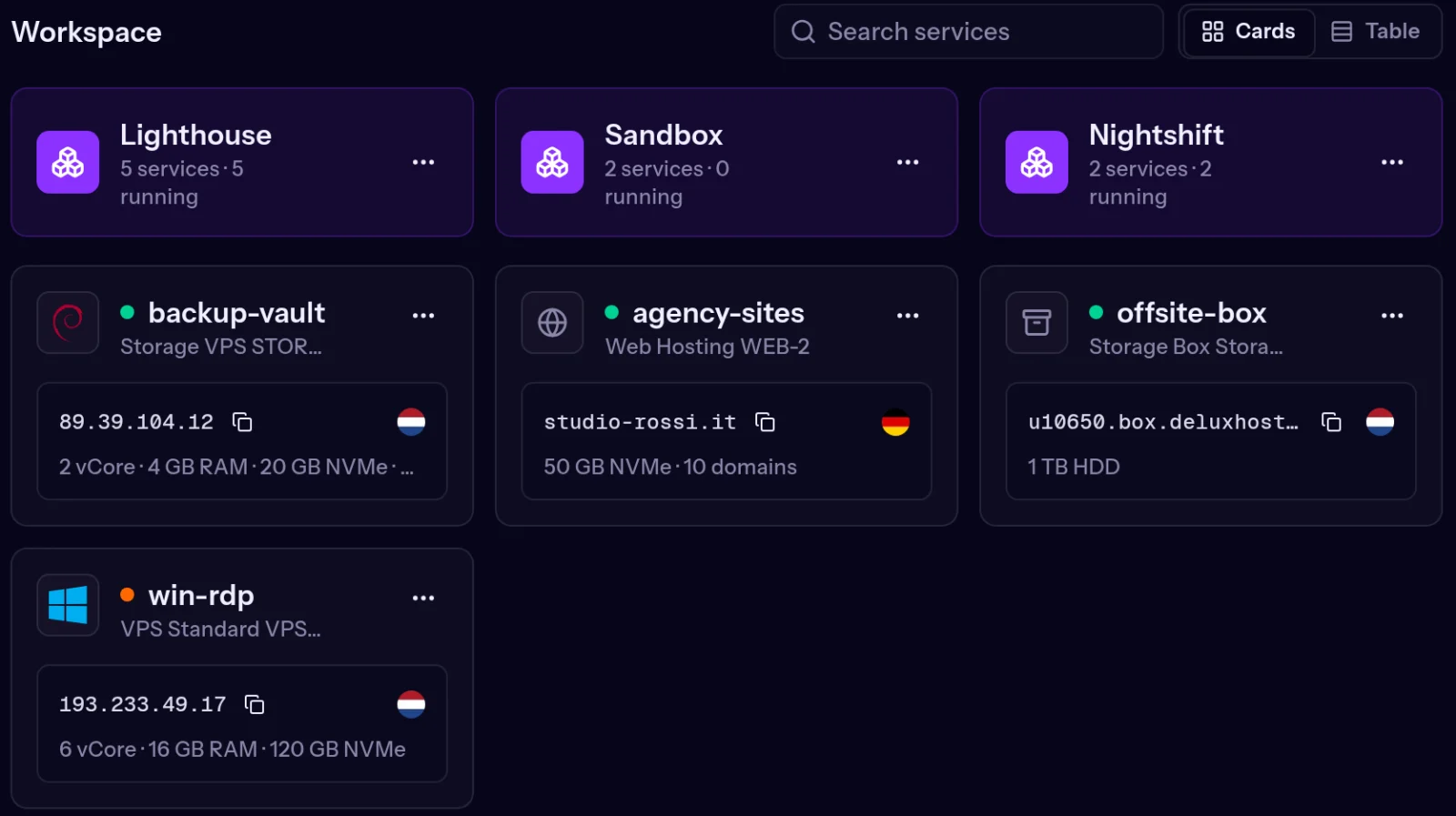 The overview with projects at the top and services below
The important part: a project only changes how you see your services in the panel. Moving a server into a project does not restart it, does not change its IP addresses and does not touch billing. You can reorganise everything whenever you like, with no risk.
Why use them
- Keep environments apart. Production on one side, staging and tests on the other: when you restart or reinstall something, you know you are in the right place.
- One project per customer. If you run servers for others (agencies, developers, sysadmins), every customer gets their own folder.
- Know what each project costs. The invoices page has a Project column and an All projects filter: pick a project and see only its invoices.
- Give access to part of the account. Invite a colleague or a customer and let them see only the projects you choose (details below).
- Find things faster. Open a project to see only its services; switch between projects from the path at the top.
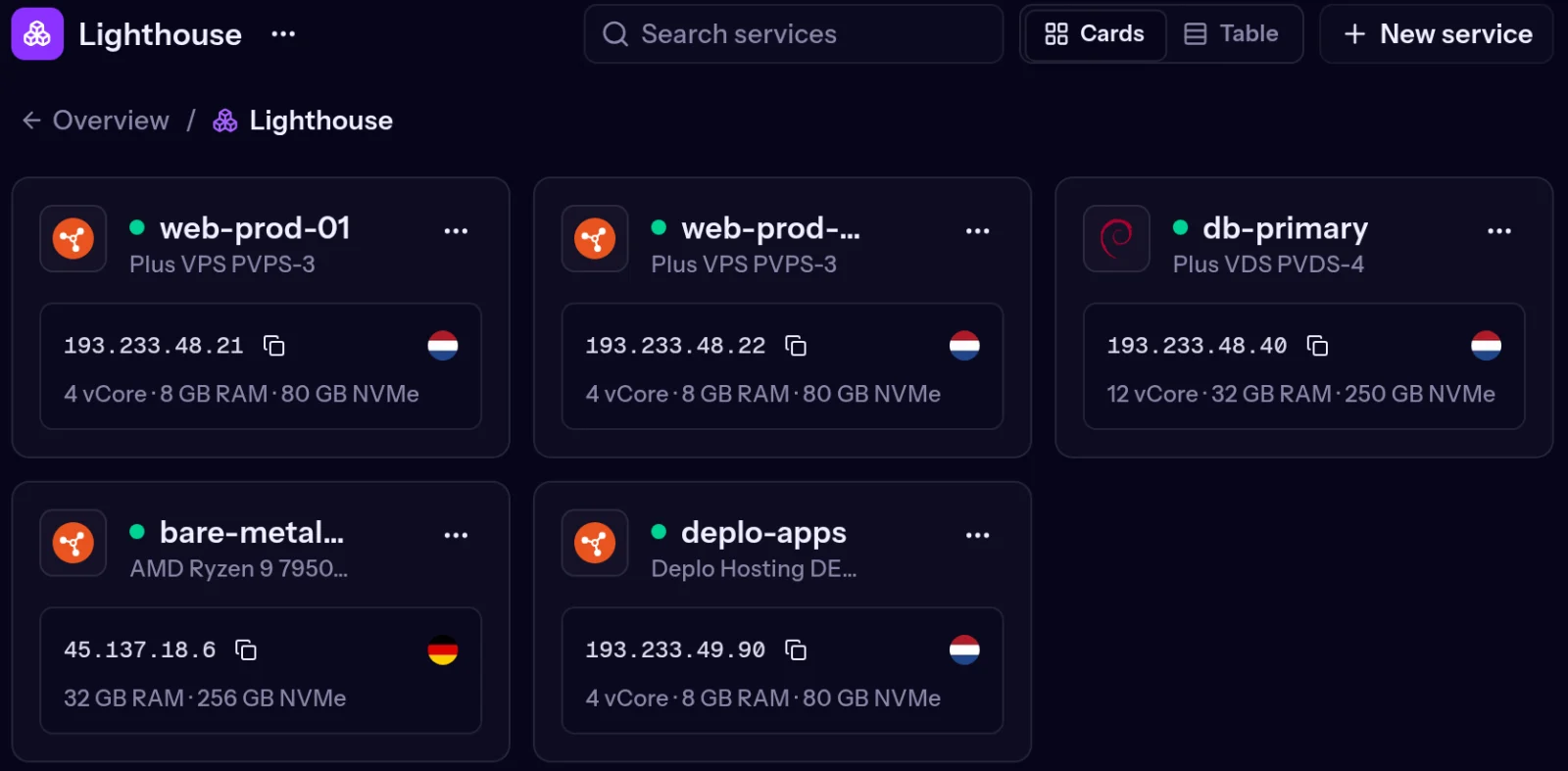 An open project: only its services
How to use them
Create a project. On the overview, click New project, give it a name (up to 60 characters) and confirm with Create project.
Move services. There are several ways, use whichever suits you:
- drag the service card onto the project card;
- open the service's ⋯ menu, choose Move to project and the project (or New project to create one on the spot with that service inside);
- to move many at once, hold Ctrl (Cmd on a Mac) or Shift, click the cards and use Move to in the bar that appears.
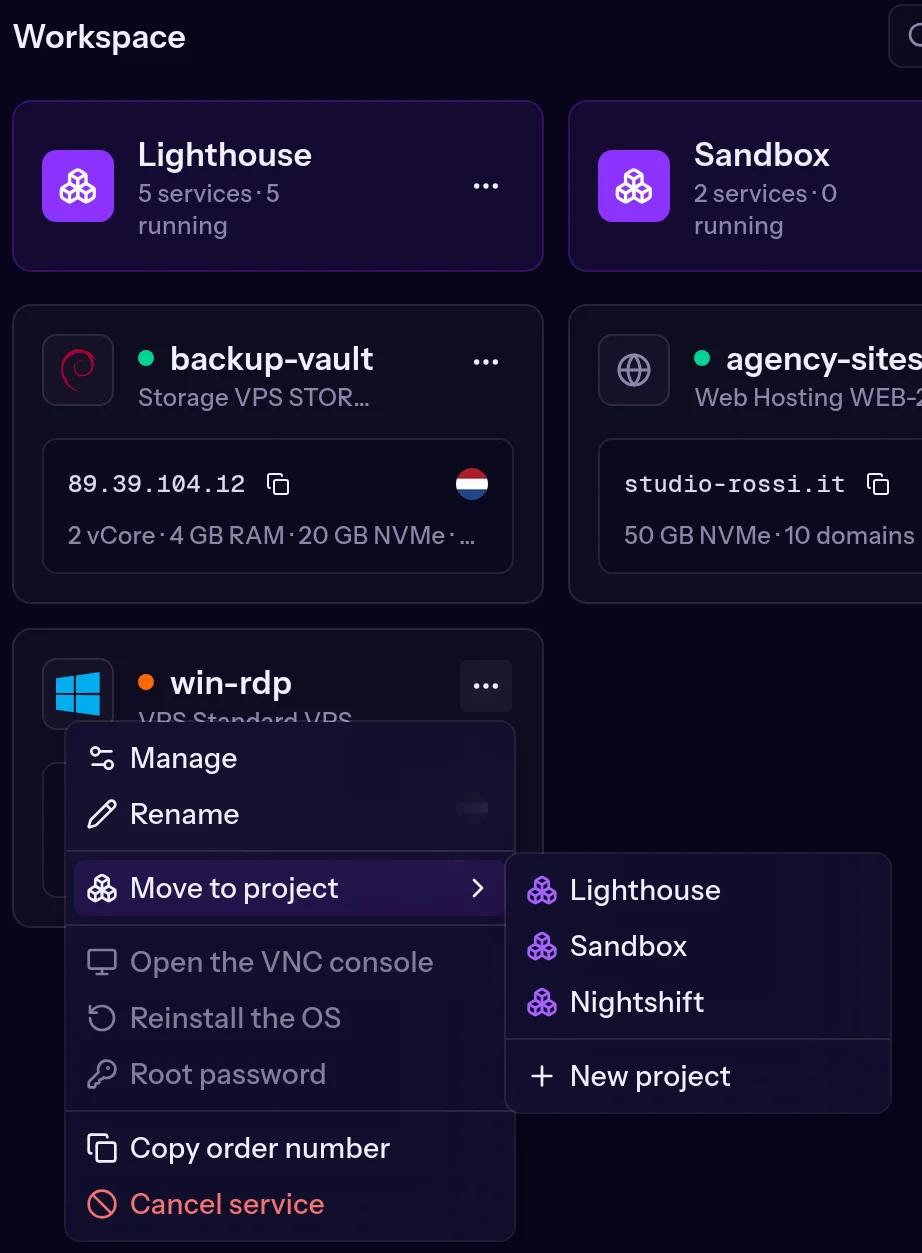 Moving a service into a project from its menu
Order a service straight into a project. Choose New service here from the project's menu, or pick the project in the Project field while ordering: the new server starts out in the right folder.
Rename or delete. From the project card's menu. Deleting a project deletes only the folder: its services go back to the overview, untouched.
Projects and invoices
Every invoice shows the project of the services it covers. Filter by project and you instantly get what you paid for one customer or one environment, ready to pass on or re-invoice.
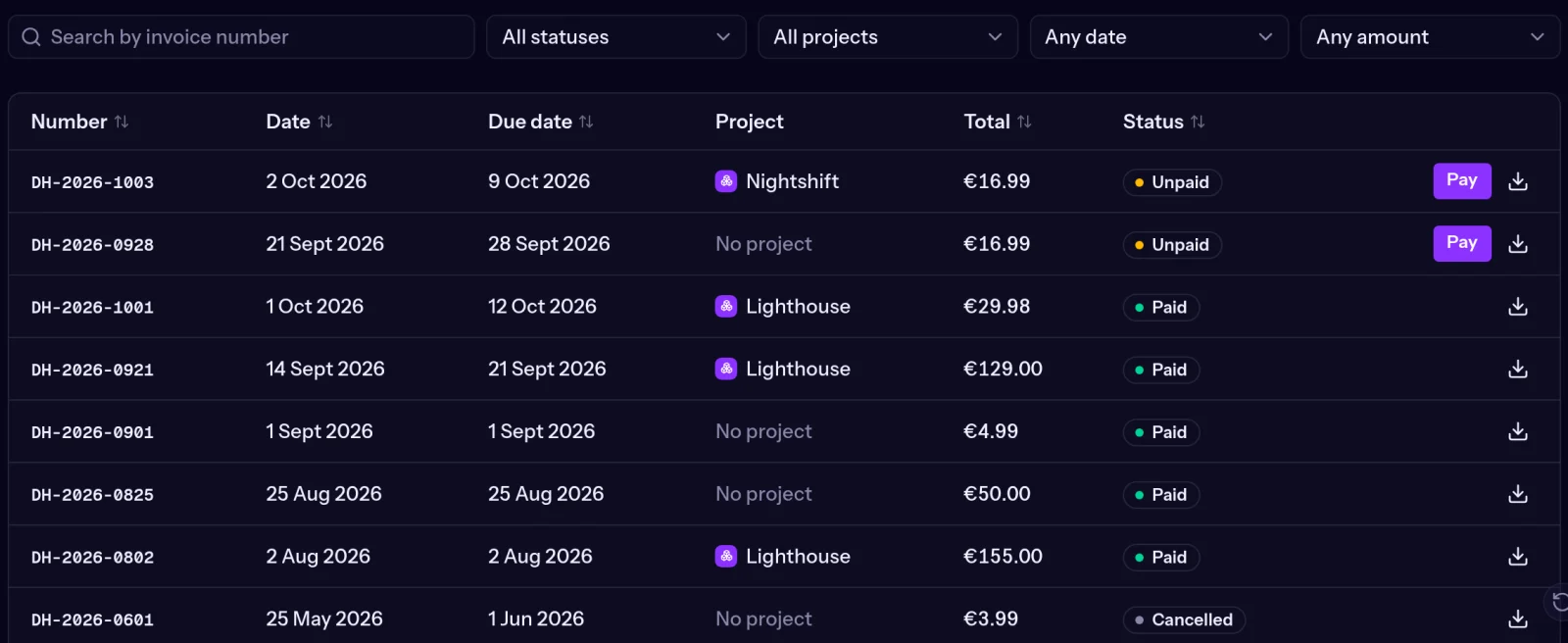 Invoices with the project column and filter
Projects and teams
This is where projects really pay off. When you invite someone to your account you choose their role (Administrator, Technical, Billing or Read only) and their access: the whole account, or Selected projects, only the projects you tick.
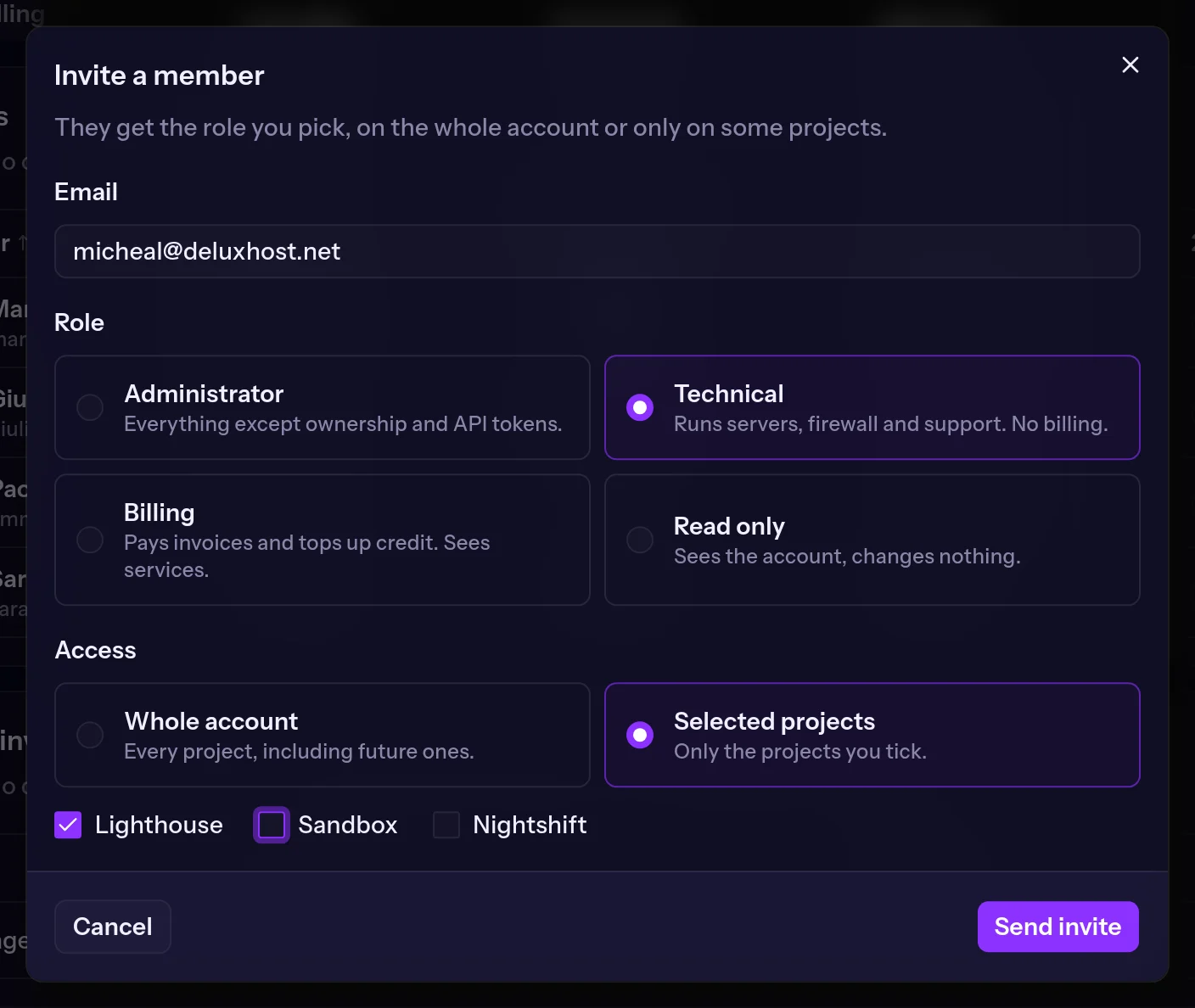 Inviting a team member with access to one project
The developer who looks after one customer then sees and manages only that customer's servers, and services you add to that project later show up for them automatically. They do not see the other projects, or the services outside projects.
Where to start
If you have more than three or four services, try this: one project per environment (production, staging) or one per customer, then drag your services in. It takes a minute and the panel is instantly easier to read.
You will find them on the overview at cloud.deluxhost.net.
