


 Zurück zum Blog

Everything you do in the panel, at some point, you want to do from a script: restart a server when monitoring sees it hang, push anti-DDoS traffic into Grafana, drop this month's invoices into your accountant's folder. That is what the DeluxHost API is for.
What you can do
The API covers most of what you find in the panel. A few examples:
- Services and servers: list services, read state, usage and metrics, start, restart and shut down, see the task history; for servers also reverse DNS, ISO, rescue and backups.
- Anti-DDoS: clean and dropped traffic, attack history with the per-port breakdown, creating and deleting rules.
- Invoices: list, details, payments and PDFs.
- Storage Box: status, usage, allowed IPs, SSH keys and snapshots.
- Tickets and notifications: one stream of account events (a service provisioned, an invoice raised, a payment that failed) to poll instead of diffing lists yourself.
The full reference, with every endpoint, the permissions it needs and a panel to try calls, is at api.deluxhost.net/v1/docs.
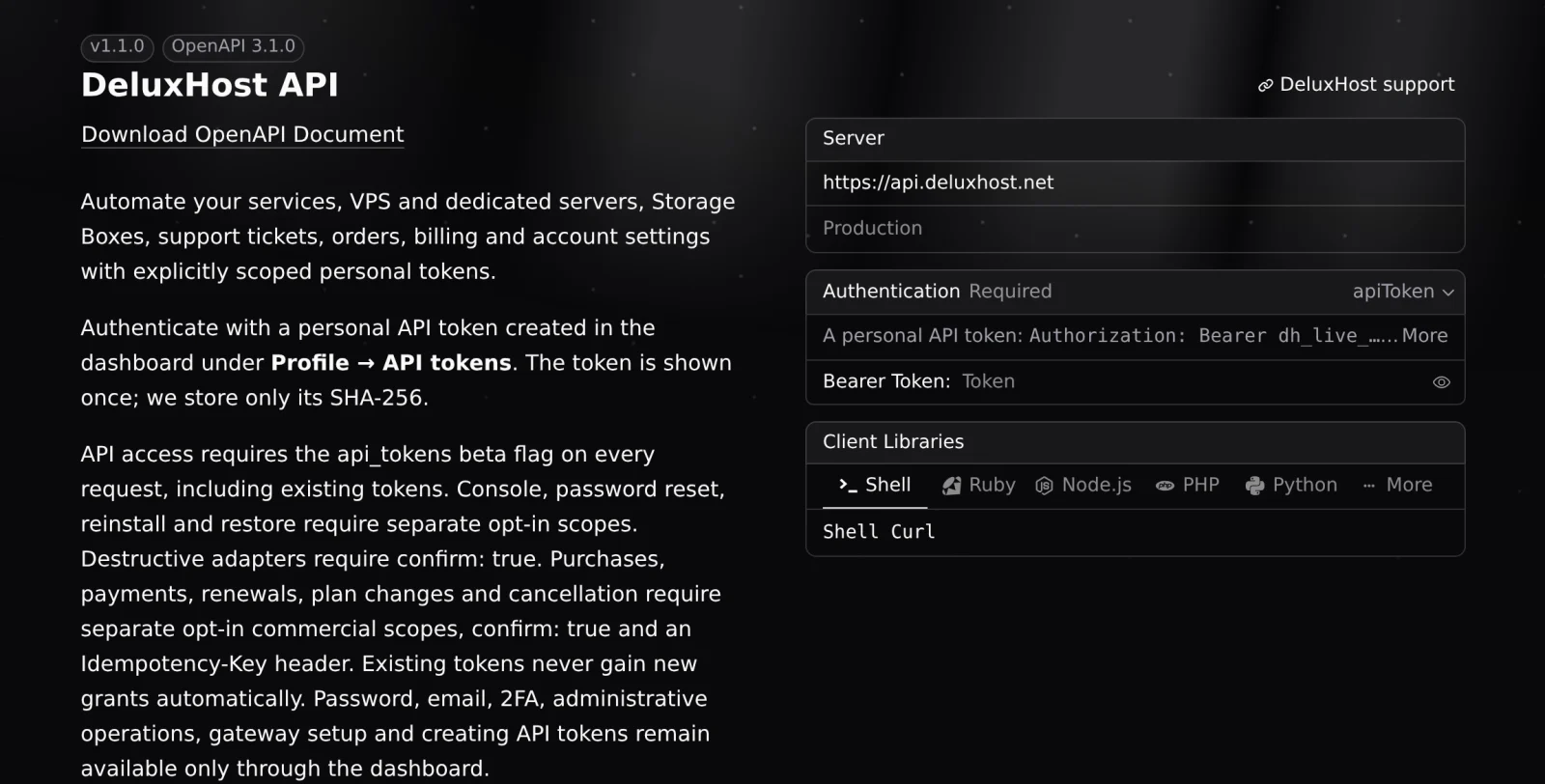 The interactive API documentation
Tokens with precise permissions
The API does not use your password but a token you create in the panel: Profile, API tokens tab, Create token. Give it a name, an expiry (30 days, 90 days, one year or never) and above all its permissions: only those the tool using it needs.
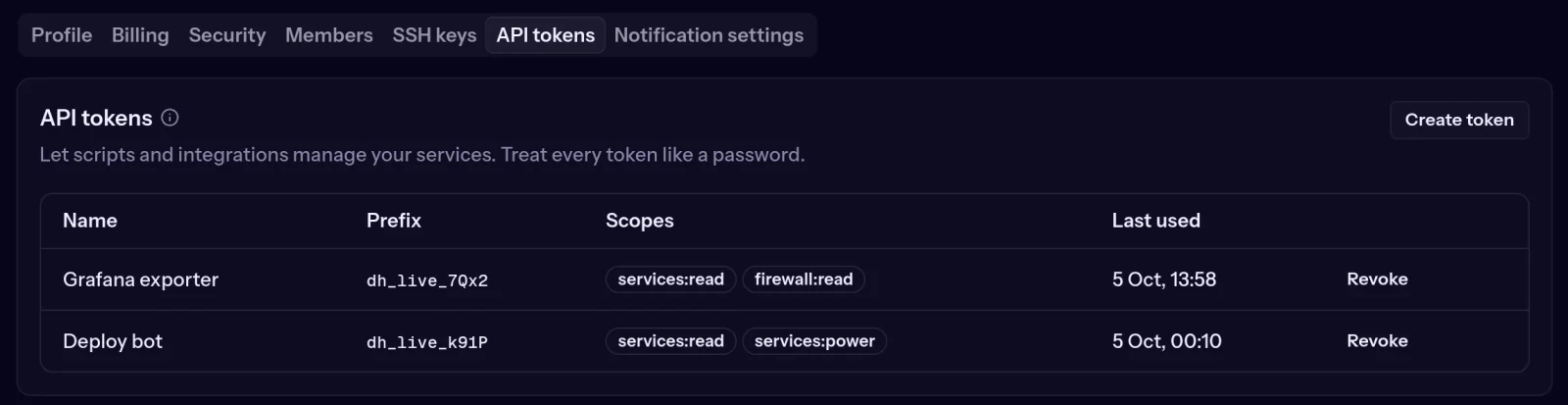 API tokens in the panel, each with its own permissions
A Grafana exporter gets only services:read and firewall:read; a bot that restarts servers also gets services:power, and nothing more. The most sensitive operations, such as the console, reinstalls, backup restores or orders and payments, need separate permissions you have to tick on purpose. Changing your email, password and 2FA, or creating more tokens, is only possible in the panel.
The token is shown only once: copy it into your tool or a password manager. For each token you see its prefix, its permissions and when it was last used; Revoke stops it instantly. Every token created or revoked is also emailed to you.
An example
List your services:
curl https://api.deluxhost.net/v1/services \
  -H "Authorization: Bearer $DELUXHOST_TOKEN"
Restart a server (with the services:power permission):
curl -X POST https://api.deluxhost.net/v1/services/<id>/power \
  -H "Authorization: Bearer $DELUXHOST_TOKEN" \
  -H "Content-Type: application/json" \
  -d '{"action":"restart"}'
The response confirms the action was accepted and returns a task ID you use to check when it has finished.
A few good rules
- One token per tool: if one leaks, revoke it without stopping the others.
- As few permissions as possible, and an expiry whenever the tool allows it.
- Never in public code, a ticket or a chat. Call the API from your own backend, not from a web page's JavaScript.
- Mind the limits: every response tells you how many requests you have left in the minute.
How to get access
The API is in beta: if the panel says the feature is not available on your account when you create a token, open a ticket and we will switch it on.
Tokens are managed under Profile → API tokens at cloud.deluxhost.net.
